ℹ️ Remises engagement: 12 mois -10%, 24 mois -15%, 36 mois -20%.
CollectPro is a multitenant collections & BI platform connected live to Sage 100. Each company (tenant) keeps its own users, subscribers, licenses and encrypted Sage connection, in direct mode over VPN or through a secure local agent. A view modeler builds role-restricted views on native Sage tables, sales reps see only their own scope, executives see the whole file, and write-back can push orders straight back into Sage.
Key Features
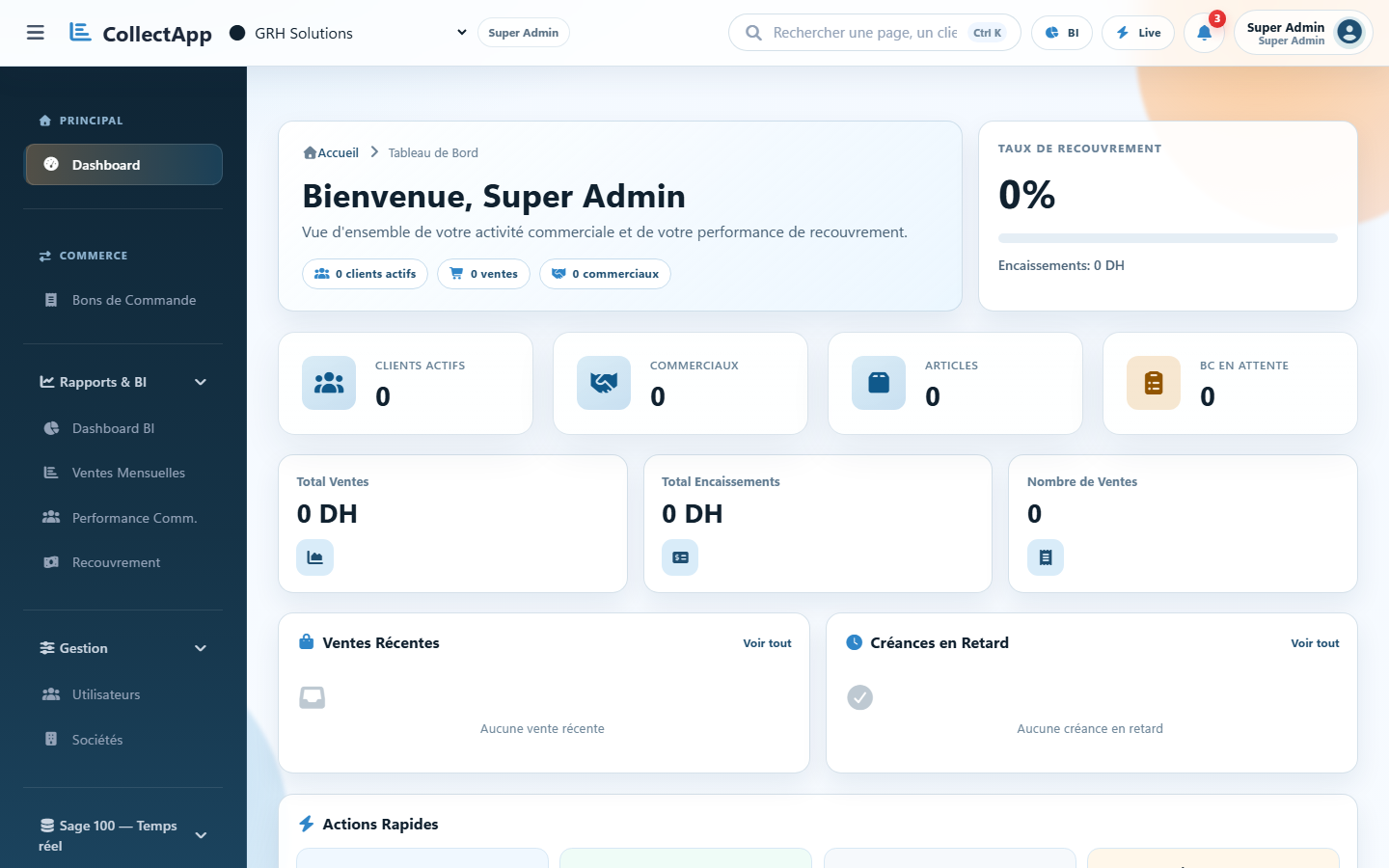
Real-time Sage 100 Dashboard
Sales, payments, receivables and business KPIs read live from the Sage 100 database.
Multitenant Companies
Each company (tenant) has its own users, tickets, subscribers and licenses.
Direct or Agent Sage Connection
Direct SQL Server access over VPN, or a secure local agent with no inbound port.
Write-back to Sage
Purchase orders entered in the app are pushed back into Sage when write access is allowed.
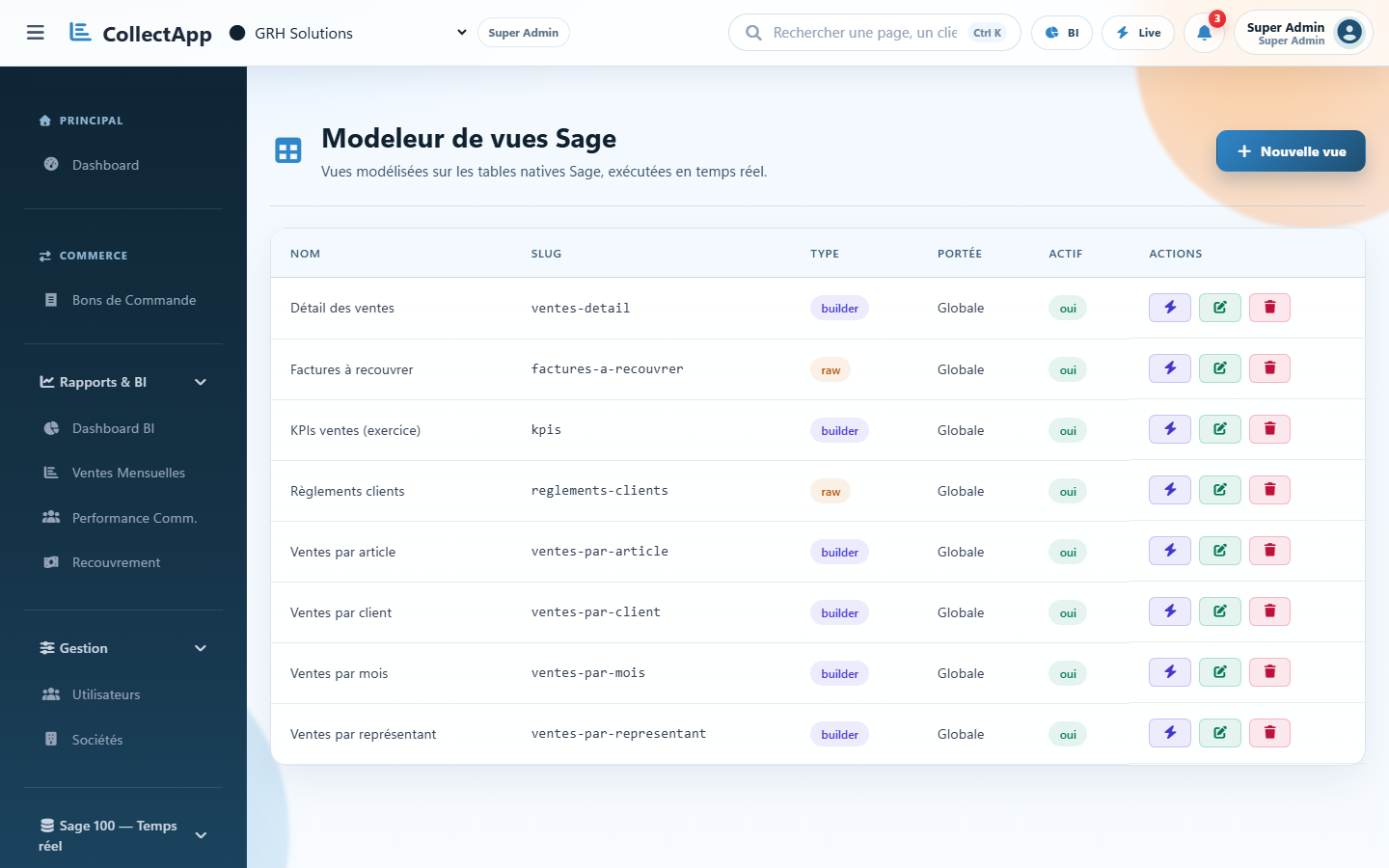
Sage View Modeler
Build assisted or raw-SQL read-only views on native Sage tables, with per-role access.
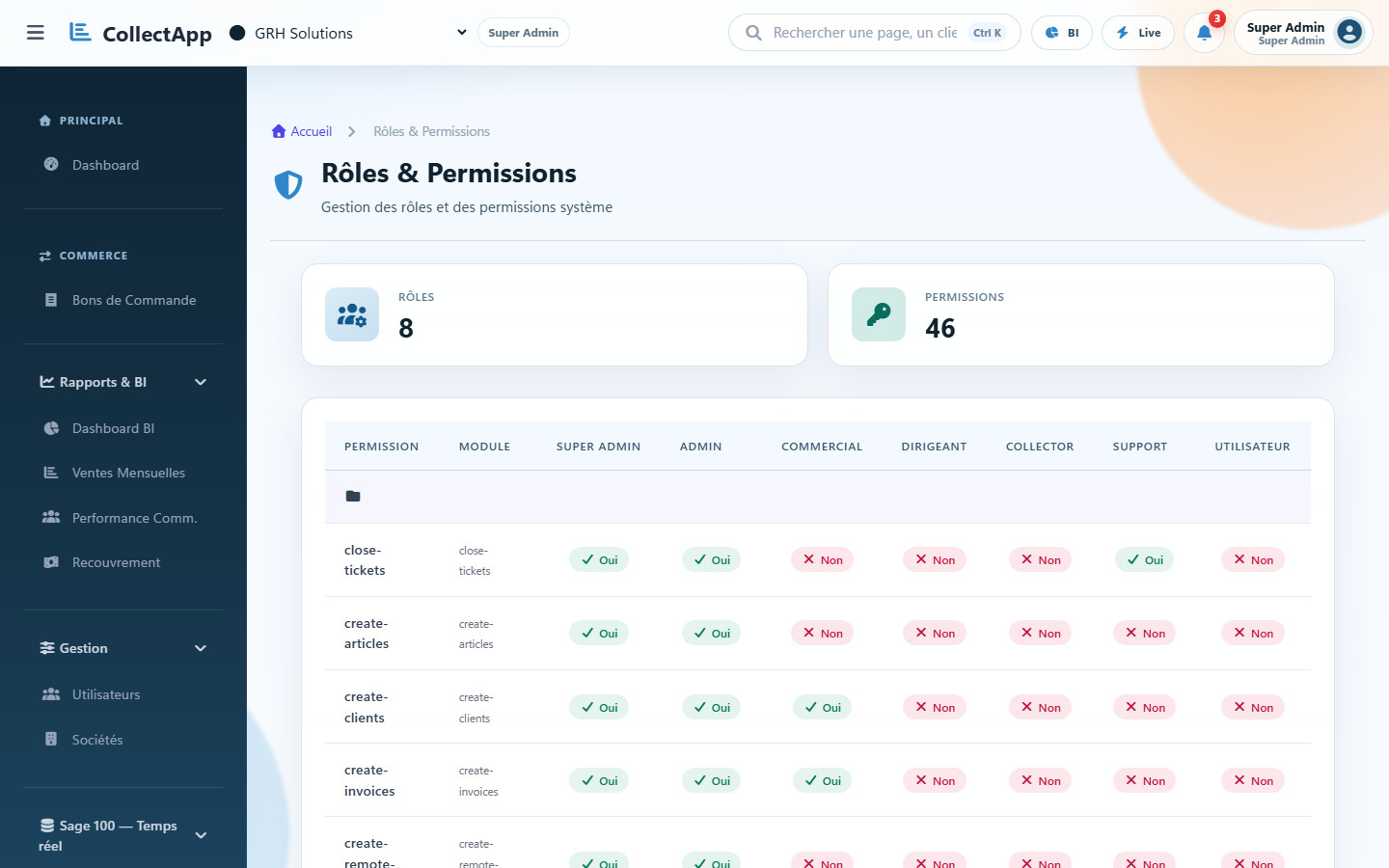
Role-based Scoping
Sales reps see their own Sage representative scope; executives see the whole company file.
Aging Balance & Reminders
Track outstanding receivables, aging balance and reminder history per customer.
Tickets & Support
Built-in ticketing and notifications for internal and client support workflows.
Subscribers & Licenses
Manage subscribers and license status per company from a single console.
Encrypted Sage Credentials
Every Sage connection is encrypted in the database and dedicated to its own company.
Who is it for?
Built for firms and companies running on Sage 100
CollectPro scales from a single company to a multi-tenant group of firms.
Firms & multi-company groups
Run multiple client files, each with its own users, licenses and dedicated Sage 100 connection.
Collections managers
Track outstanding balances, aging and reminders directly on live Sage 100 data, with no re-entry.
Sales reps & executives
Each rep sees their own scope (their Sage representative); executives keep full visibility on the whole file.
Why choose CollectPro?
Governed Security
Encrypted per-tenant Sage credentials and an agent mode that never opens an inbound port.
No Duplicate Entry
Live Sage reads and write-back remove the need to re-key data between systems.
Clear Governance
Role-based scoping keeps sales reps, collectors and executives each within their own perimeter.
Use Cases & Real Scenarios
01
Company connected to Sage 100 with no consolidated view
Challenge : Sales and collections teams check Sage case by case, with no dashboard or alert on overdue invoices.
Solution : CollectPro connects to Sage 100 in real time (direct or agent mode) and shows sales, payments and receivables in one cockpit per company.
Consolidated visibility on overdue accounts and better-prioritised reminders, without duplicating Sage data.
02
Multi-company group with sensitive Sage access
Challenge : Opening a direct connection to each client's Sage database creates a security and governance risk.
Solution : Agent mode installs a local connector at the client site that exposes a key-secured HTTPS API with no inbound port; each file keeps its own encrypted connection.
Secure Sage integration per company, without exposing the database directly.
03
Field orders re-typed manually into Sage
Challenge : Purchase orders taken by sales reps are manually retyped into Sage, causing delays and transcription errors.
Solution : Write-back pushes orders entered in CollectPro straight into Sage (F_DOCENTETE/F_DOCLIGNE) when write access is allowed for the file.
Less re-entry and orders available in Sage faster for downstream processing.
Frequently Asked Questions
Does CollectPro support multiple companies?
Yes, the platform is multitenant: each company (file) has its own users, licenses, subscribers and Sage 100 connection.
How is Sage 100 data retrieved?
In real time, read directly from the client's Sage database (direct mode via VPN) or through a secure local agent (agent mode), never duplicated.
Are Sage connection credentials secure?
Yes, every Sage connection is encrypted in the database and dedicated to its company.
Can orders be created that flow back into Sage?
Yes, write-back re-injects purchase orders into Sage when write access is enabled for the file.
Do sales reps see all the data in a file?
No, each rep sees only their own scope, matching their Sage representative; executives see the whole file.
Can views on Sage data be customised?
Yes, a view modeler lets you build views on native Sage tables, with role-based access per view.
Is there a support/ticketing module?
Yes, ticket management, notifications, subscribers and licenses are part of the available modules.
Which roles are available?
Super-admin, admin, executive, sales rep, collector, support and user, each with role-based permissions.
How can I automate overdue invoice reminders directly on Sage 100 data?
CollectPro reads Sage 100 receivables and due dates in real time and centralizes aging balance, outstanding amounts and reminder history in one cockpit, with no manual export or re-entry from Sage.
Is there a real-time BI dashboard for Sage 100?
Yes, the CollectPro dashboard reads the Sage 100 database directly (direct or secure agent mode): sales, payments and receivables stay current with no periodic sync or data duplication.
Is CollectPro an alternative to custom development around Sage 100?
Yes, instead of commissioning a custom connector or reporting layer on top of Sage 100, CollectPro provides an already-connected collections and BI cockpit, with write-back and role-based permissions ready to use.
Can CollectPro generate quotes automatically from a customer email or WhatsApp message?
Yes: an inbound email or WhatsApp request can be analysed by an AI model to extract the requested products, then matched against the company's Sage 100 catalog with a confidence score, any uncertain match is flagged for human review instead of being auto-approved.
Take control of your Sage 100 collections
Real-time Sage data, secure agent connector, write-back and role-based access: all in one multitenant cockpit.